
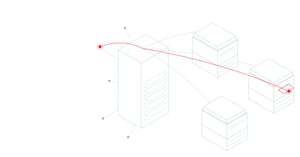
Printing still underpins daily work in most organizations, but managing dozens or hundreds of devices, drivers and print queues takes time that IT teams rarely have. Print management software brings all of it under central control, so printing becomes simpler for users, easier for administrators and cheaper to run.
Less administration for IT teams
Without central management, every printer can mean its own driver, queue and configuration to deploy and support. Print management software replaces that with central administration: devices, queues and settings are managed from one place, and routine tasks are automated rather than handled ticket by ticket. That frees IT time for higher-value work and makes adding, moving or replacing devices far simpler.
A simpler experience for users
Users send jobs to a single secure queue instead of choosing between many printers. With print roaming, they can then collect their documents at any enabled device, which also means a single printer fault no longer stops work. Mobile printing lets people print from phones and tablets without installing anything extra.
Ready for Microsoft's printer driver changes
Microsoft is phasing out third-party printer drivers on Windows. According to Microsoft's published plan:
- since January 15, 2026, no new third-party printer drivers are offered through Windows Update for Windows 11 and Windows Server 2025
- since July 1, 2026, Windows ranks its built-in, driverless class driver first when a printer is added
- from July 1, 2027, updates to third-party drivers will be restricted to security fixes
Existing drivers continue to work, so this is a transition rather than a cutoff, but it needs planning across every device and queue. Central print management makes that manageable: drivers and queues can be changed and tested from one place rather than on every desktop. Moving to driverless printing does not by itself encrypt print jobs or confirm who collects them, so authentication, secure release and encryption remain essential.
FollowMe is ready for this shift today, with support for Windows Protected Print and for Windows devices with ARM processors.
Printing policies that cut cost and waste
Print management software lets administrators set rules that apply automatically, such as:
- printing double-sided by default
- restricting color printing to the users or departments that need it
- routing large jobs to the most cost-effective device
- setting quotas by user, department or project
Because jobs are released only when the user is at the device, documents that are never collected are never printed, which reduces paper and toner waste.
Visibility for better decisions
Detailed reports show who prints what, where and how much. Organizations can use that data to right-size their fleet, place devices where they are actually needed, allocate costs fairly across departments and track progress on sustainability goals.
Security and compliance built in
The same platform that improves efficiency also protects information. Secure release, encryption of print jobs, data loss prevention controls and a complete audit trail of every print, copy and scan help organizations meet the requirements of frameworks such as ISO/IEC 27001, GDPR, HIPAA and the Sarbanes-Oxley Act. For more detail, read Managing Printing Proactively and The Importance of Information Security Audits Covering Enterprise Printing Activity.
Efficiency and security from one platform
FollowMe gives organizations one vendor-neutral platform to manage every device, simplify printing for users, control costs and secure documents across the entire fleet, whether it runs on-premises, in a private cloud or in a hybrid environment.
Want to simplify your print environment? Contact us to see how FollowMe can reduce cost and effort across your organization.
Key sources: Microsoft, End of servicing plan for third-party printer drivers on Windows.